Building a Secure Cloud Environment with a Strong Foundation

Security as a Foundation: Building a Safer Cloud Environment

solutions architect

Building a Secure Cloud Environment with a Strong Foundation

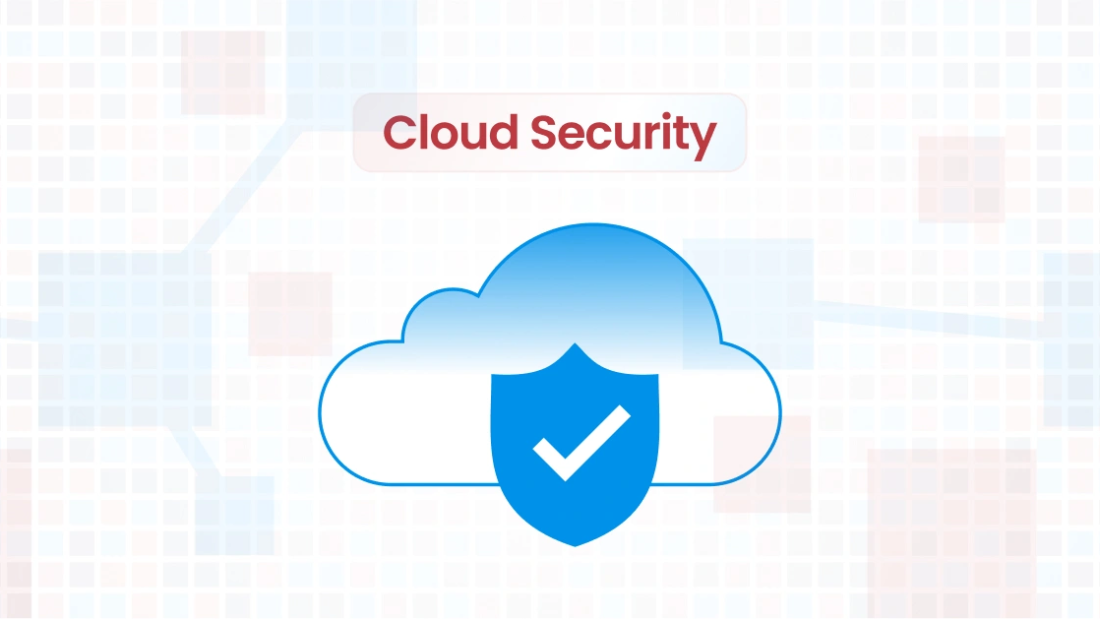
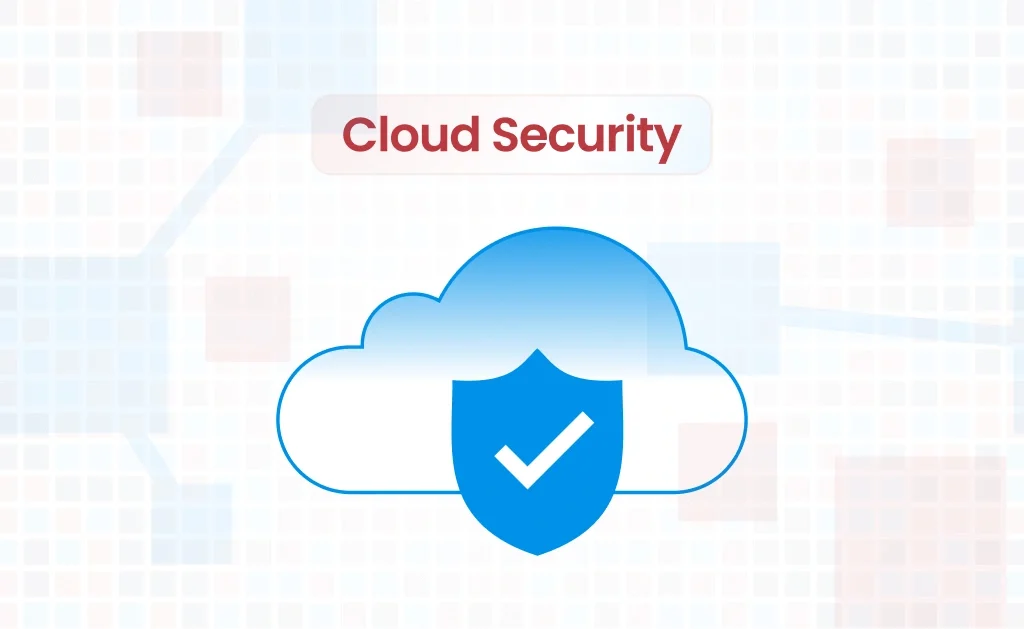
With businesses increasingly migrating to the cloud for its scalability, cost-efficiency, and innovation, ensuring data security and operational integrity is more critical than ever. Therefore implementing Cloud security Best Practices have become a cornerstone of IT strategies. But how do you ensure your cloud infrastructure remains secure without compromising performance or flexibility?

This post explores why cloud security is most effective when integrated directly into the architecture and how CloudKitect provides components designed with baked-in security, helping businesses stay protected while accelerating the development of cloud-native solutions.

Why Cloud Security Should Be Baked Into the Architecture

Cloud security isn’t an afterthought—it must be a foundational aspect of your infrastructure. When organizations attempt to add security measures after the cloud infrastructure is built, they often face these challenges:

    • Inconsistencies in security enforcement: Retroactive security solutions may leave gaps, leading to vulnerabilities.
    • Increased costs: Fixing architectural flaws later is more expensive than addressing them during the design phase.
    • Complexity: Bolting on security introduces complexity, making it harder to manage and scale.

A retrofit approach to security will always to more expansive and may not be as effective. During the software development lifecycle—spanning design, code, test, and deploy—the most effective approach to ensuring robust security is to prioritize it from the design phase rather than addressing it after deployment. By incorporating security considerations early, developers can identify and mitigate potential vulnerabilities before they become embedded in the system. This proactive strategy allows for the integration of secure architecture, access controls, and data protection measures at the foundational level, reducing the likelihood of costly fixes or breaches later. Starting with a security-first mindset not only streamlines development but also builds confidence in the solution’s ability to protect sensitive information and maintain compliance with industry standards. Hence, the best approach is to build security into every layer of your cloud environment from the start. This includes:
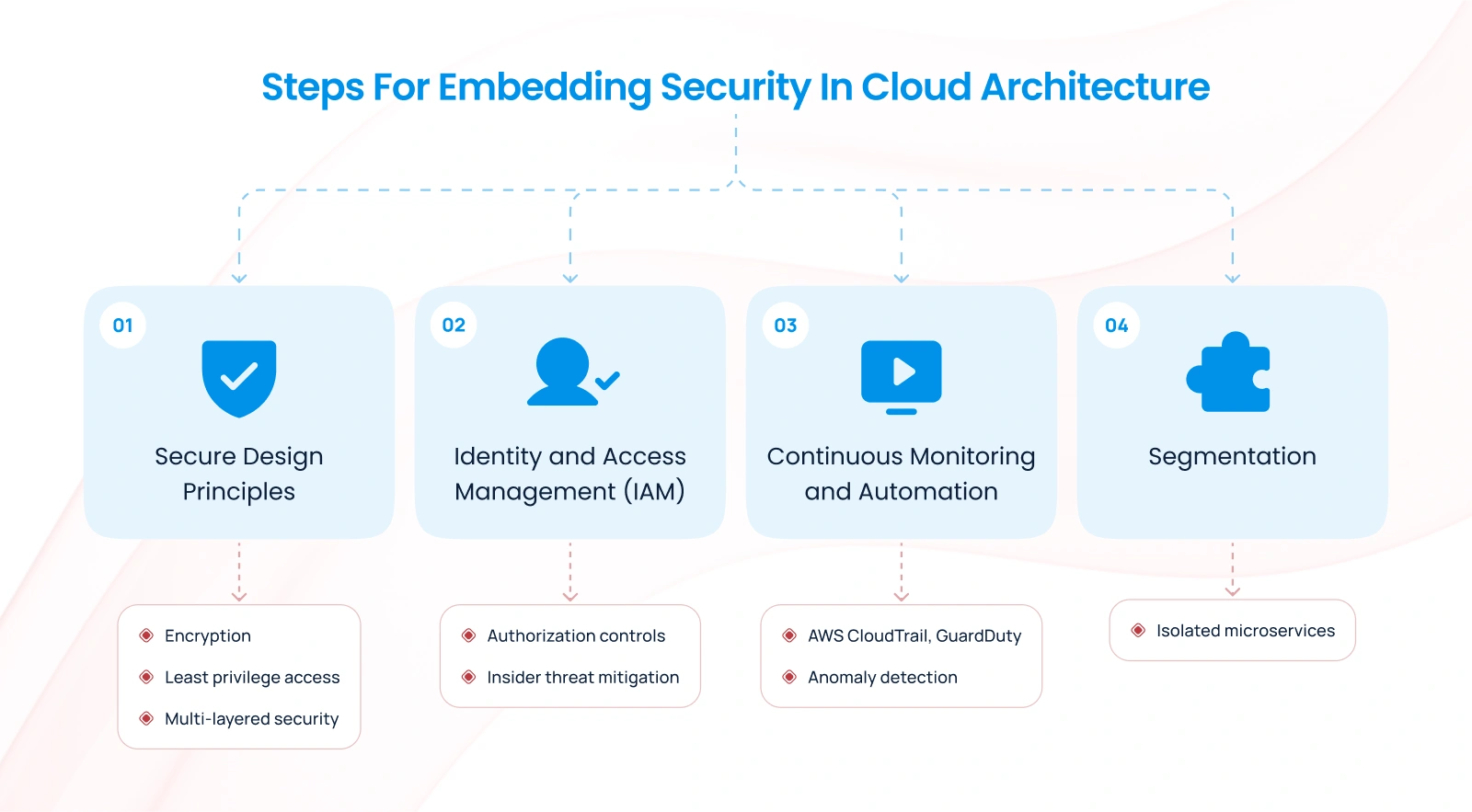
1. Secure Design Principles

Adopting security-by-design principles ensures that your cloud systems are architected with a proactive focus on risk mitigation. This involves:

    • Encrypting data at rest and in transit with strong encryption algorithms.
    • Implementing least privilege access models. Don’t give any more access to anyone than is necessary.
    • Designing for fault isolation to contain breaches.
    • Do not rely on a single security layer, instead introduce security at every layer of your architecture. This way they all have to fail for someone to compromise the system, making it significantly harder for intruders. This may include strong passwords, multi factor authentication, firewalls, access controls, and virus scanning etc.

2. Identity and Access Management (IAM)

Robust Identity and Access Management systems ensure that only authorized personnel have access to sensitive resources. This minimizes the risk of insider threats and accidental data exposure.

3. Continuous Monitoring and Automation

Cloud-native tools like AWS CloudTrail, Amazon Macie, Amazon Guard duty, AWS Config etc. enable organizations to monitor and respond to potential threats in real-time. Automated tools can enforce compliance policies and detect anomalies.

4. Segmentation

Building a segmented system of microservices, where each service has a distinct and well-defined responsibility, is a fundamental principle for creating resilient and secure cloud architectures. By designing microservices to operate independently with minimal overlap in functionality, you effectively isolate potential vulnerabilities. This means that if one service is compromised, the impact is contained, preventing lateral movement or cascading failures across the system. This segmentation enhances both security and scalability, allowing teams to manage, update, and secure individual components without disrupting the entire application. Such an approach not only reduces the attack surface but also fosters a modular and adaptable system architecture.

By baking security into the architecture, organizations reduce risks, lower costs, and ensure compliance from the ground up. Also refer to this aws blog on Segmentation and Scoping 

How CloudKitect Offers Components with Baked-in Security

At CloudKitect, we believe in the philosophy of “secure by design.” Our aws cloud components are engineered to include security measures at every level, ensuring that organizations can focus on growth without worrying about vulnerabilities. Here’s how we do it:
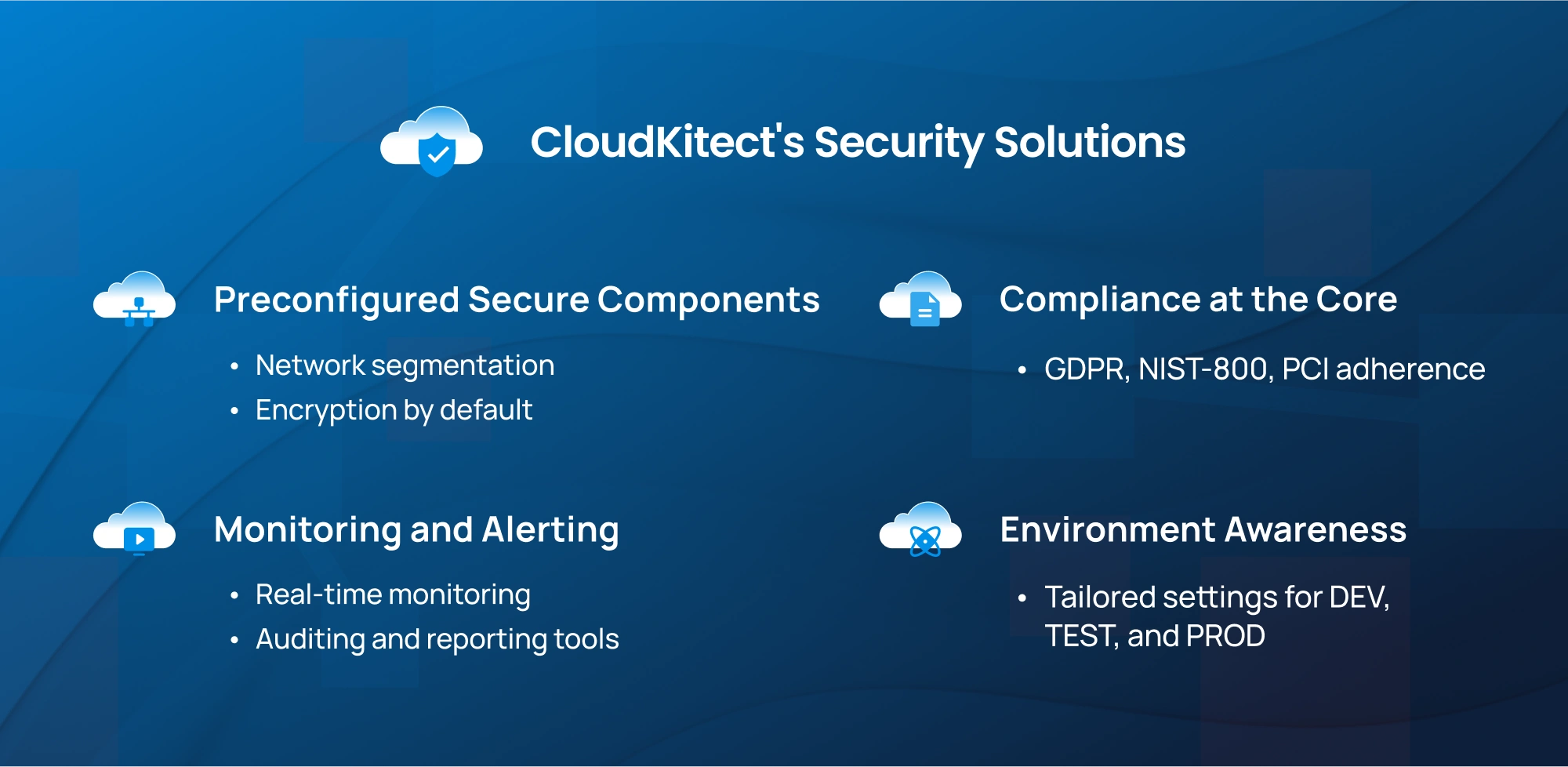
1. Preconfigured Secure Components

CloudKitect offers Infrastructure as Code (IaC) components that come with security best practices preconfigured. For example:

    • Network segmentation to isolate critical workloads.
    • Default encryption settings for storage and communication.
    • Built-in compliance checks to adhere to frameworks like NIST-800, GDPR, PCI, or SOC 2.

These templates save time and ensure that security is not overlooked during deployment.

2. Compliance at the Core

Every CloudKitect component is designed with compliance in mind. Whether you’re operating in finance, healthcare, or e-commerce, our solutions ensure that your architecture aligns with industry-specific security regulations.

Refer to our Service Compliance Report page for details.

3. Monitoring and Alerting

CloudKitect’s components have built in monitoring at every layer to provide a comprehensive view for detecting issues within the cloud infrastructure. By incorporating auditing and reporting functionalities, it supports well-informed decision-making, enhances system performance, and facilitates the proactive resolution of emerging problems.

4. Environment Aware

CloudKitect components are designed to be environment-aware, allowing them to adjust their behavior based on whether they are running in DEV, TEST, or PRODUCTION environments. This feature helps optimize costs by tailoring their operation to the specific requirements of each environment.

Benefits of Cloud Computing Security with CloudKitect

    1. Faster Deployments with Less Risk
      With pre-baked security, teams can deploy applications faster without worrying about vulnerabilities or compliance gaps.
    2. Reduced Costs
      Addressing security during the design phase with CloudKitect eliminates the need for costly retrofits and fixes down the line.
    3. Simplified Management
      CloudKitect’s unified approach to security reduces complexity, making it easier to manage and scale your cloud environment.
    4. Enhanced Trust
      With a secure infrastructure, your customers can trust that their data is safe, boosting your reputation and business opportunities.

Check our blog on Cloud Infrastructure Provisioning for in-depth analysis of CloudKitect advantages.

Conclusion: Security as a Foundation, Not a Feature

Cloud security should never be an afterthought. By embedding security directly into your cloud architecture, you can build a resilient, scalable, and compliant infrastructure from the ground up.

At CloudKitect, we help organizations adopt this security-first mindset with components designed for baked-in security, offering peace of mind in an increasingly complex digital landscape. Review our blog post on Developer Efficiency with CloudKitect to understand how we empower your development teams with security first strategy.

Ready to secure your cloud? Explore how CloudKitect can transform your approach to cloud security.

By integrating cloud computing security into your strategy, you’re not just protecting your data—you’re enabling innovation and long-term success.

Talk to Our Cloud/AI Experts

This field is for validation purposes and should be left unchanged.
Name
Please let us know what's on your mind. Have a question for us? Ask away.

Search Blog

About us

CloudKitect revolutionizes the way technology startups adopt cloud computing by providing innovative, secure, and cost-effective turnkey AI solution that fast-tracks the digital transformation. CloudKitect offers Cloud Architect as a Service.

Subscribe to our newsletter

A blog feature image on comprehensive guide to Cloud Migration from On-Prem to AWS

A Comprehensive Guide to Cloud Migration from On-Prem to AWS

solutions architect

A blog feature image on comprehensive guide to Cloud Migration from On-Prem to AWS

1. Lift and Shift: The Quick Transition

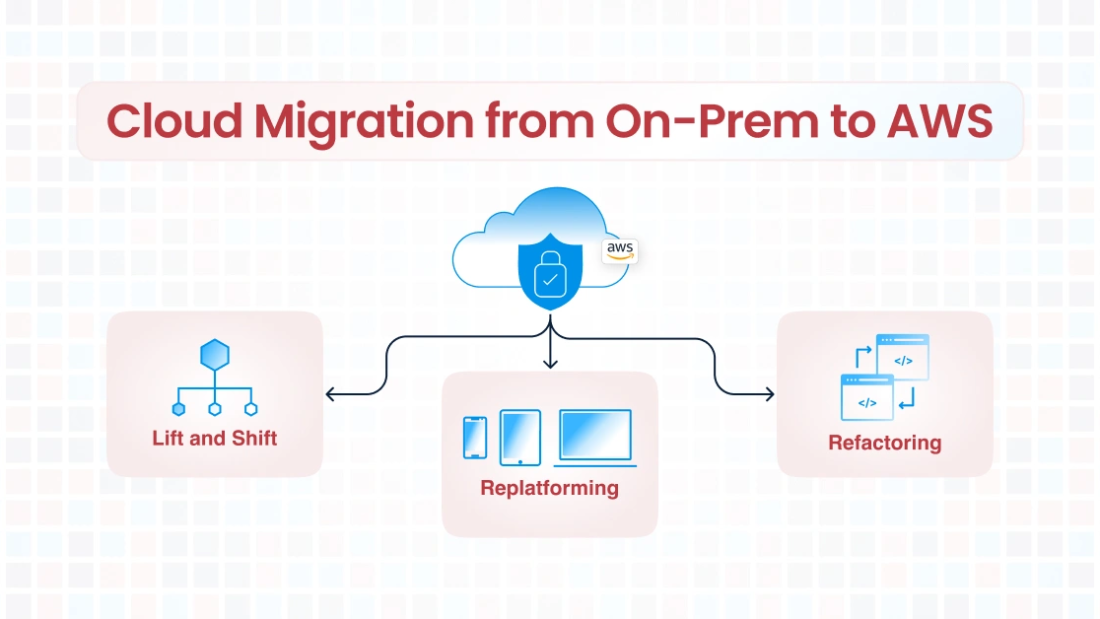
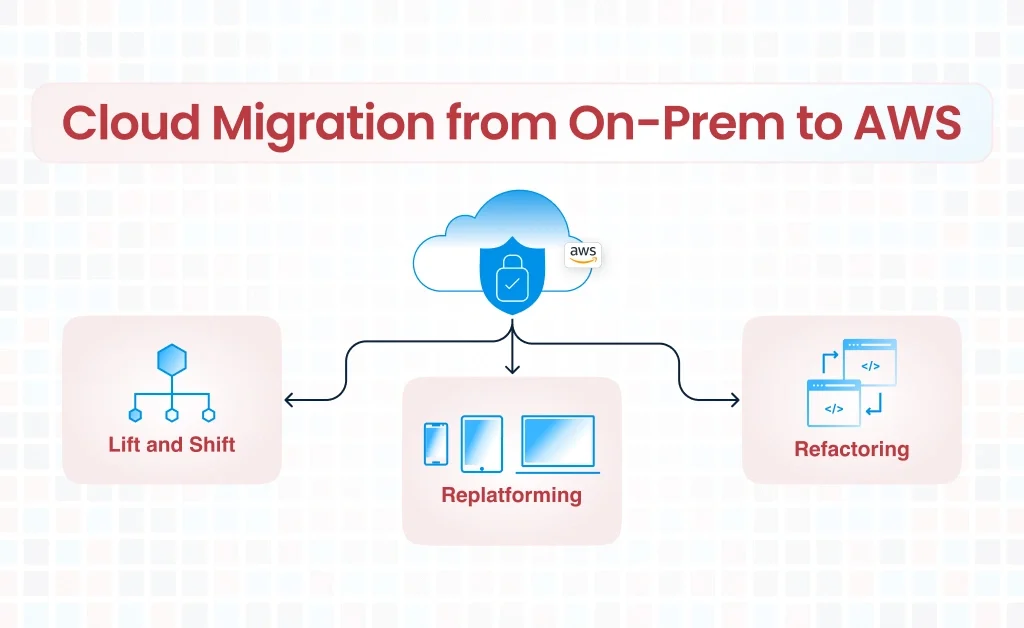
Cloud migration has become a key strategy for businesses looking to improve scalability, reduce operational costs, and leverage modern tools for innovation. Migrating from on-premises infrastructure to AWS involves strategic decision-making, planning, and execution. In this blog, we will delve into three major migration approaches: Lift and Shift, Replatforming, and Refactoring to Cloud-Native.

This blog will explore commonly used cloud migration strategies. Before you migrate also choose a Multi-account Strategy that suites your needs.

Lift and Shift (also known as “Rehosting”) is the simplest and fastest cloud migration strategy. It involves moving your existing on-premise applications and workloads to the AWS cloud without significant changes to the architecture.

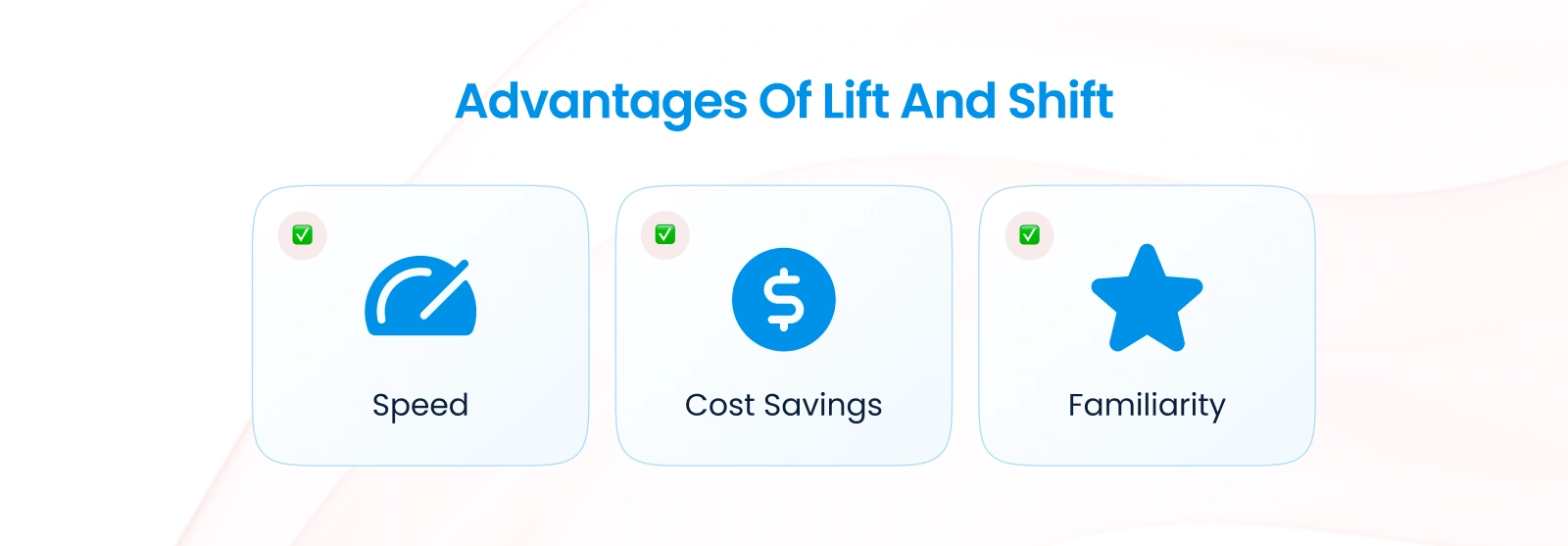
Advantages of Lift and Shift

    • Speed: Minimal changes to your applications mean quicker migrations.
    • Cost Savings: No immediate need for redevelopment or re-architecture efforts.
    • Familiarity: Applications remain as they are, reducing learning curves for teams.

Challenges

    • Limited Optimization: Applications may not take full advantage of AWS-native features.
    • Potential for Higher Costs: Without cloud optimization, costs may increase.
    • Scalability and Performance Constraints: Legacy architectures might not scale efficiently in the cloud.

Best Practices for Lift and Shift

1. Leverage AWS Migration Tools:

    • Use AWS Application Migration Service (MGN) to automate migration workflows.
    • Implement AWS Database Migration Service (DMS) for database migrations with minimal downtime.

2. Set Up a Landing Zone:

    • Create a secure, multi-account AWS environment with AWS Control Tower.

3. Post-Migration Optimization:

    • Once migrated, identify opportunities to optimize for cost, performance, and scalability.

Use Cases

    • Applications with low modification needs or end-of-life applications.
    • Time-critical migrations where speed is essential.
    • Proof of concept projects to test cloud feasibility.

2. Replatform: Enhancing Applications for the Cloud

Replatforming (also called “Lift, Tinker, and Shift”) involves moving applications to AWS with minor modifications to improve performance, scalability, or manageability without a complete overhaul.

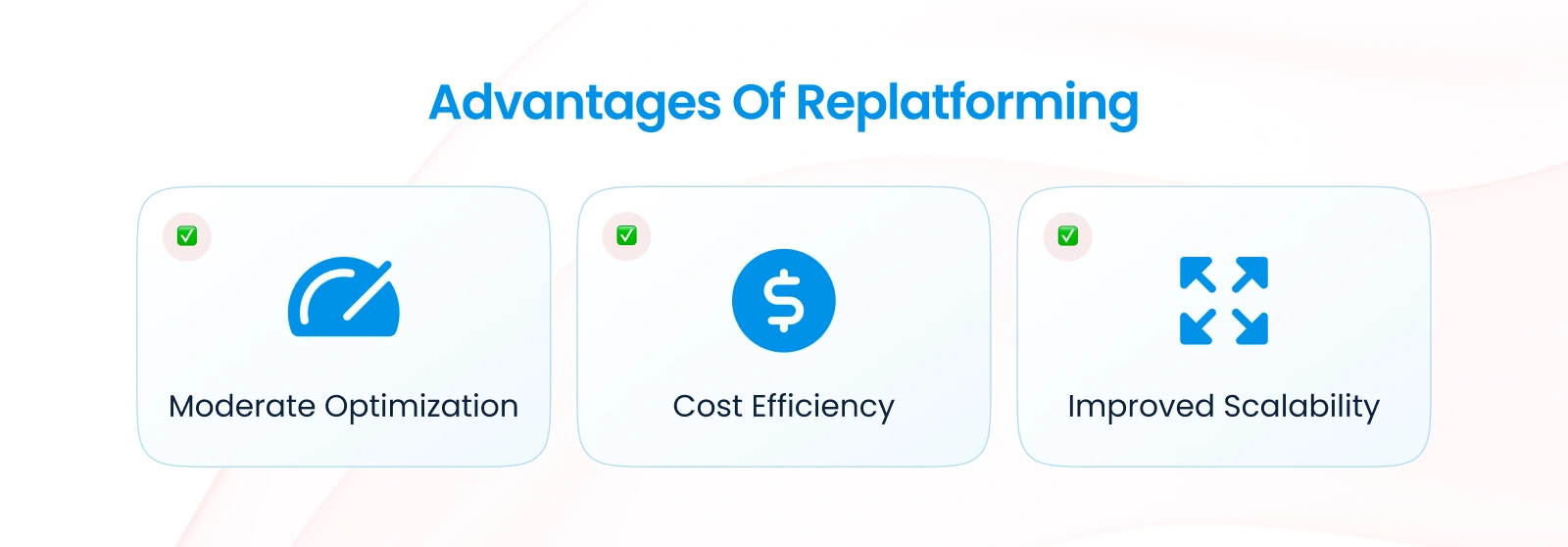
Advantages of Replatforming

    • Moderate Optimization: Applications are updated to leverage some cloud-native features.
    • Cost Efficiency: Modernized workloads often reduce resource usage.
    • Improved Scalability and Performance: With minor tweaks, applications can scale better and deliver enhanced performance.

Challenges

    • Additional Effort: Requires some level of re-engineering compared to Lift and Shift.
    • Compatibility Testing: Changes may require additional testing for compatibility.

Examples of Replatforming Efforts

    • Migrating a database from on-premise to a managed AWS service like Amazon RDS.
    • Containerizing applications using Amazon ECS or EKS.
    • Switching from a traditional file storage system to Amazon S3 for scalability.

Best Practices for Replatforming

1. Prioritize Key Features:

    • Identify which AWS services can enhance performance with minimal code changes.

2. Use Managed Services:

    • Replace self-managed databases with Amazon RDS or DynamoDB.
    • Use CloudKitect CloudKitect Enhanced Components and CloudKitect Enterprise Patterns for easier application deployment and management.

3. Test Extensively:

    • Ensure application updates are thoroughly tested in a staging environment to avoid surprises in production.

Use Cases

    • Businesses seeking to enhance scalability, reliability, or manageability without fully re-architecting applications.
    • Applications that need moderate modernization to reduce operational overhead.

3. Refactor to Cloud-Native: Full Transformation

Refactoring (or “Rearchitecting”) involves reimagining and rewriting your applications to fully leverage AWS-native services and architectures. This strategy offers the highest level of optimization but also requires significant effort and investment. However, CloudKitect Enhanced Components and CloudKitect Enterprise Patterns with prebuilt aws infrastructures for various workload types can significantly reduce this effort.

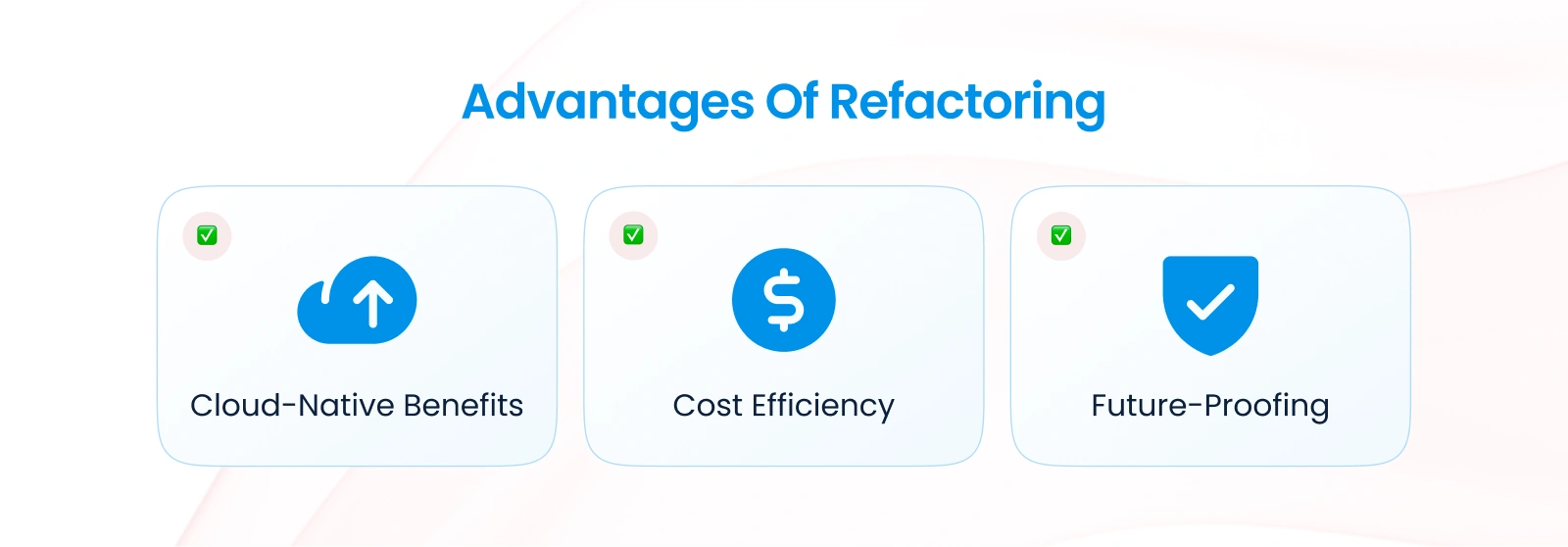
Advantages of Refactoring

    • Cloud-Native Benefits: Applications are optimized for cloud scalability, performance, and reliability.
    • Cost Efficiency: Fully optimized applications typically result in lower long-term costs.
    • Future-Proofing: Architectures designed with modern AWS services can adapt to evolving business needs.

Challenges

    • Time and Resources: Requires a significant investment in time, skills, and budget. However, partnering with CloudKitect will reduce time and resources by 70%.
    • Complexity: Rewriting applications can be complex and introduce risks.
    • Training Needs: Teams may require training to manage new architectures effectively.

Examples of Cloud-Native Refactoring

    • Migrating to serverless architectures using AWS Lambda.
    • Breaking monolithic applications into microservices with Amazon ECS or AWS Fargate.
    • Implementing event-driven architectures using Amazon EventBridge and Amazon SNS/SQS.

Best Practices for Refactoring

1. Adopt an Incremental Approach:

    • Ensure application updates are thoroughly tested in a staging environment to avoid surprises in production.

2. Use AWS Well-Architected Framework:

    • Align your architecture with AWS’s Well-Architected Framework to ensure scalability, security, and efficiency.

3. Automate Infrastructure Deployment:

    • Use AWS CloudFormation or AWS CDK to automate the deployment of cloud-native infrastructure. CloudKitect extends AWS CDK in order to make AWS services complianct to various standards like NIST-800, CIS, PCI and HIPAA.

Use Cases

    • Applications requiring significant scaling or modernization.
    • Organizations aiming to achieve maximum agility, performance, and cost savings.
    • Businesses in highly regulated industries that need robust compliance and monitoring.

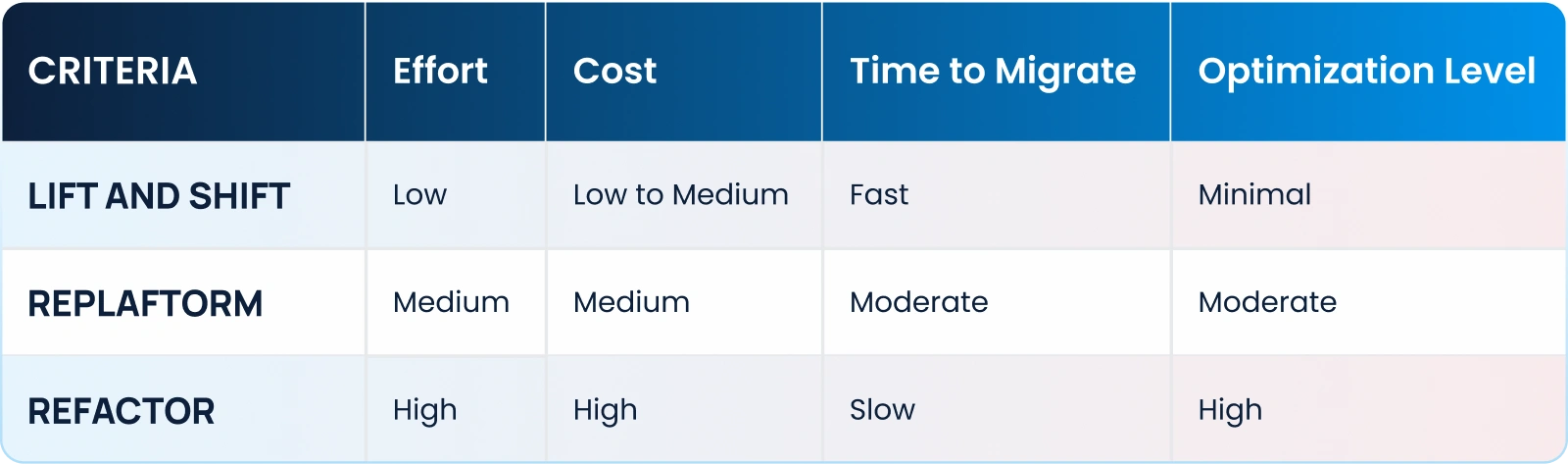
Choosing the Right Strategy

Choosing the right cloud migration strategy depends on your business goals, application requirements, and timelines. Here’s a quick comparison:

Final Thoughts

Migrating to AWS is not a one-size-fits-all process. Each strategy—whether Lift and Shift, Replatforming, or Refactoring to Cloud-Native—serves unique business needs. For additional strategies also checkout AWS Migration Strategies blog. You should always start with a clear assessment of your workloads, prioritize critical applications, and plan for ongoing optimization.

By leveraging CloudKitect Enhanced Components and CloudKitect Enterprise Patterns, along with the right migration strategy, you can unlock the full potential of the cloud while minimizing risks and costs.
 

Ready to Start Your Cloud Migration Journey?

Let us help you design a tailored migration strategy that aligns with your goals and ensures a smooth transition to AWS. Contact Us today for a free consultation!

Talk to Our Cloud/AI Experts

This field is for validation purposes and should be left unchanged.
Name
Please let us know what's on your mind. Have a question for us? Ask away.

Search Blog

About us

CloudKitect revolutionizes the way technology startups adopt cloud computing by providing innovative, secure, and cost-effective turnkey AI solution that fast-tracks the digital transformation. CloudKitect offers Cloud Architect as a Service.

Subscribe to our newsletter